
Fabrics, leathers & finishes
Present governed material assets with realistic texture, pattern, scale, color and surface behavior.
PyxMagic Draping
Photoreal Product Visualizer
Transform product photography and real material assets into a photoreal visualizer for fabrics, leathers and finishes—without photographing every possible combination.
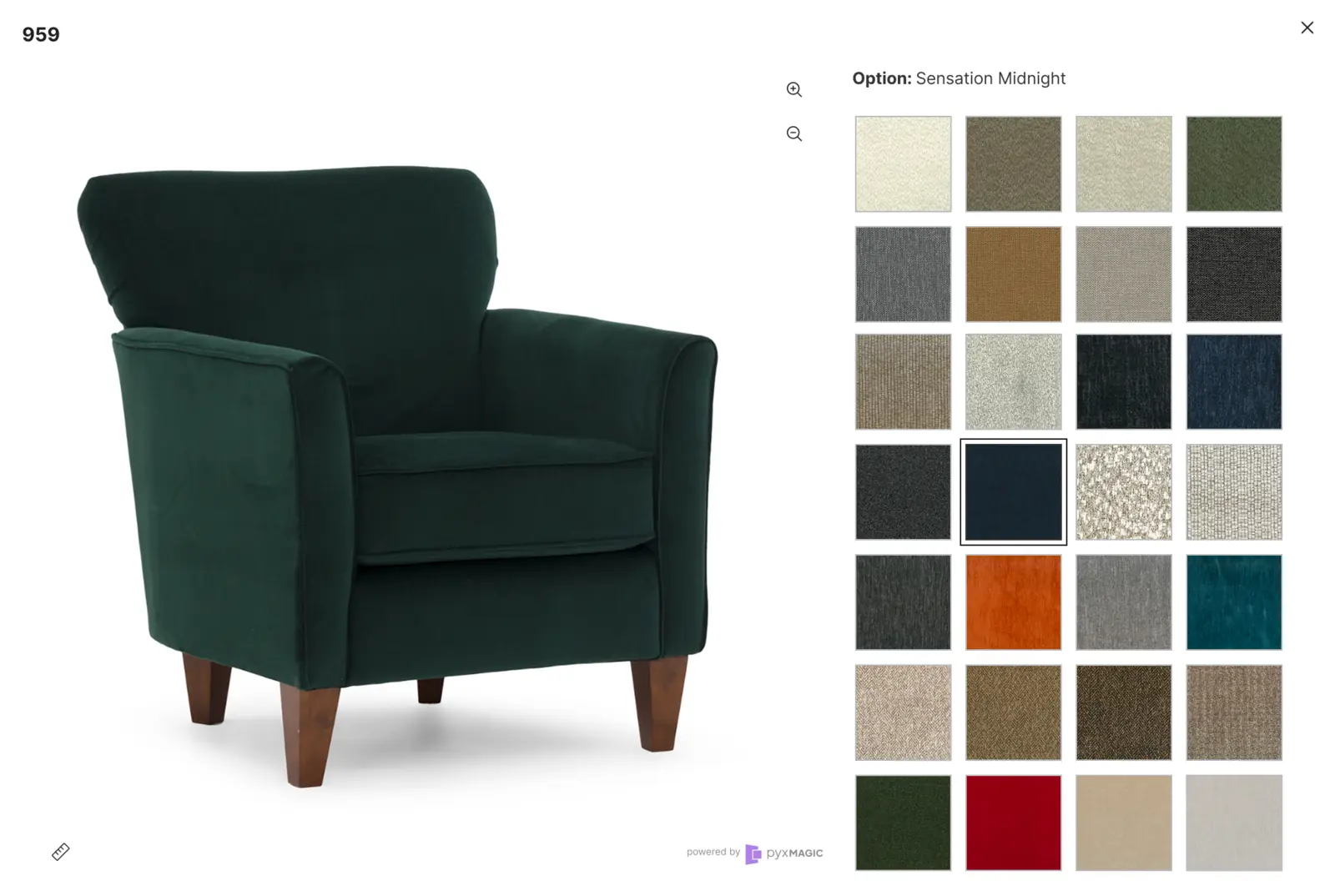
Product accurate by design
PyxMagic Draping is built from real product photography and governed material assets. The experience preserves the furniture customers are considering while changing the surfaces they want to explore.
The result is a faster path to broad custom coverage across websites, showrooms and sales workflows.
Core capabilities
Present governed material assets with realistic texture, pattern, scale, color and surface behavior.
Maintain silhouettes, seams, cushions, tailoring, wood details and product-specific construction.
Support products with distinct body, accent, welt, wood or other configurable surfaces.
Give shoppers clear swatch selection, product zoom and detailed product presentation.
Extend visualization across large product and material catalogs without creating every image in advance.
Keep the experience current as products, fabrics, leathers and finishes are added or retired.
Deployment options
Launch through a lightweight hosted modal or an experience embedded into the product page.
Give customers and associates a visual way to explore custom materials in-store.
Support presentations, design consultations and remote selling with a standalone experience.
Extend a consistent manufacturer-governed experience across participating dealer websites.
How an engagement works
Select product families, material types, surfaces, channels and rollout priorities.
Organize product photography, swatches, material scale, color references and catalog data.
Create the experience, review product accuracy and finalize website or standalone integration.
Go live and keep the catalog current as products and materials change.
Frequently asked
Yes. Programs can be structured around separate body, accent, welt, wood or other product-specific surfaces.
It can launch through a lightweight hosted modal or an embedded experience, depending on the website and enterprise program.
No. The experience is built around product photography, material assets and PyxMagic technology rather than a conventional 3D asset pipeline.
Pyxd can manage ongoing introductions, retirements and catalog updates as part of the enterprise engagement.
Built around your business
Share your catalog, material program and deployment goals. We will outline the right Draping engagement.
Questions? Contact Us